Hard No

Block the apps you can't put down. No take-backs.

Moki, a grey cat, giving a thumbs up

You pick the apps that quietly eat your day. You pick how long they should go away. You confirm. They stay gone until the timer runs out — and nothing inside Hard No will bring them back early.

That's the entire product. There's no dashboard to check, no score to raise, no streak to protect. Just a timer that doesn't negotiate, and a few kind words while you wait it out.

Most blockers give you a way out, because a way out is easier to build and easier to sell. The way out is also why they don't work. Hard No doesn't have one.

How it works

Moki, a grey cat, sitting and staring straight ahead

This is Moki

She is sitting on your phone. She heard you ask for it back, she gave it some thought, and the answer is no.

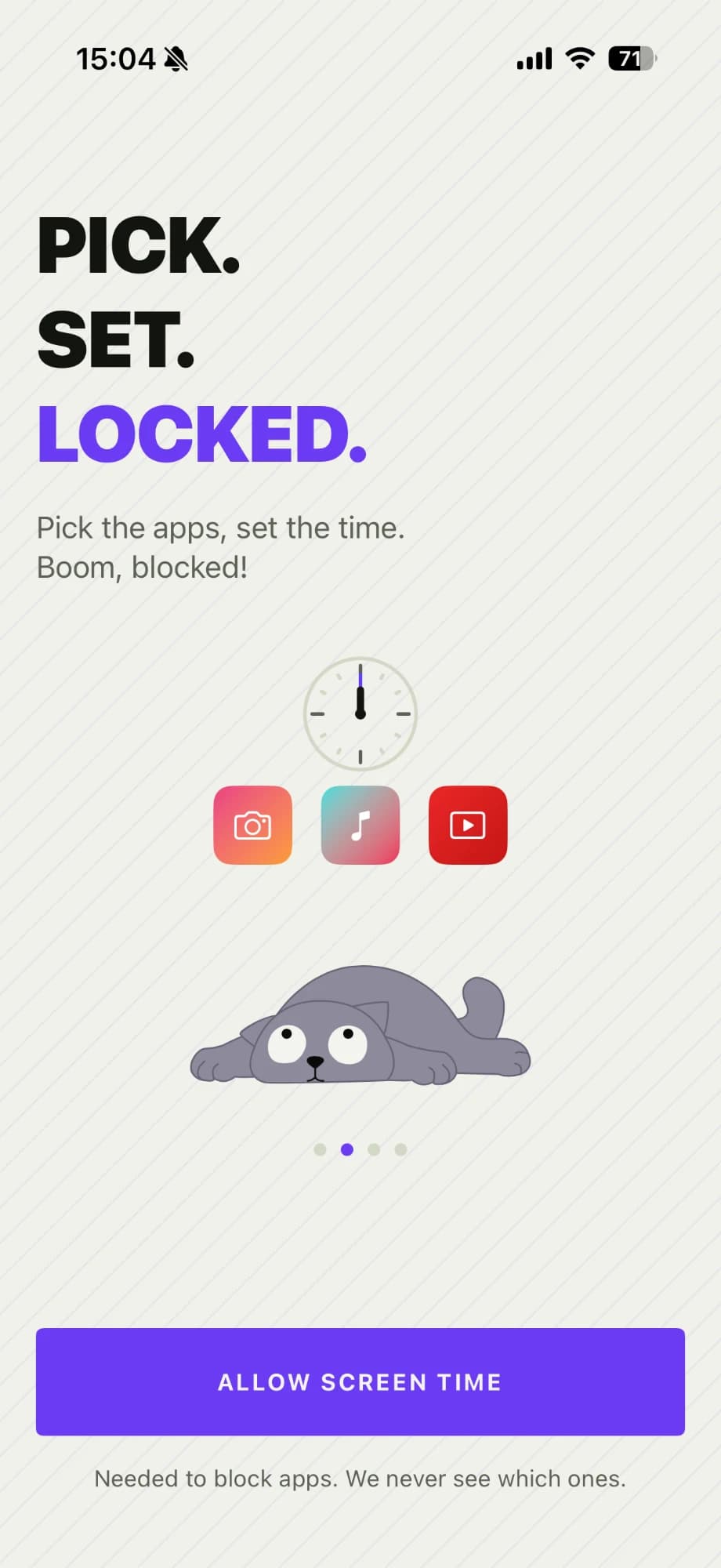
  1. The onboarding screen "Pick. Set. Locked.", with its Allow Screen Time button
    1

    Grant permission once

    Hard No blocks apps through Apple's Screen Time system, so you approve it once on first launch. iOS does the actual blocking — we just decide what and for how long.

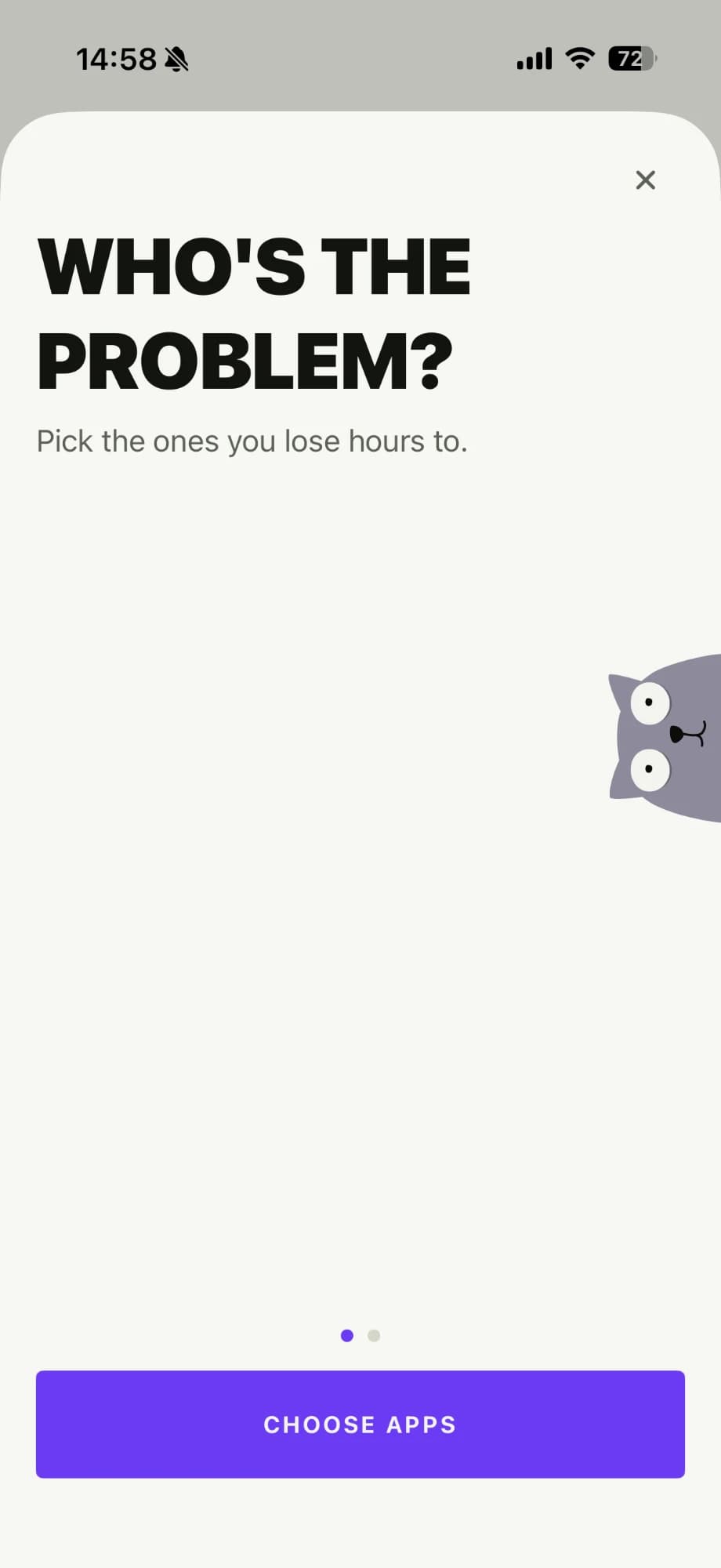
  2. The "Who's the problem?" screen, with a Choose apps button
    2

    Pick your apps

    Choose what goes away using Apple's own app picker. Free blocks one app at a time; Pro blocks as many as you like in a single session.

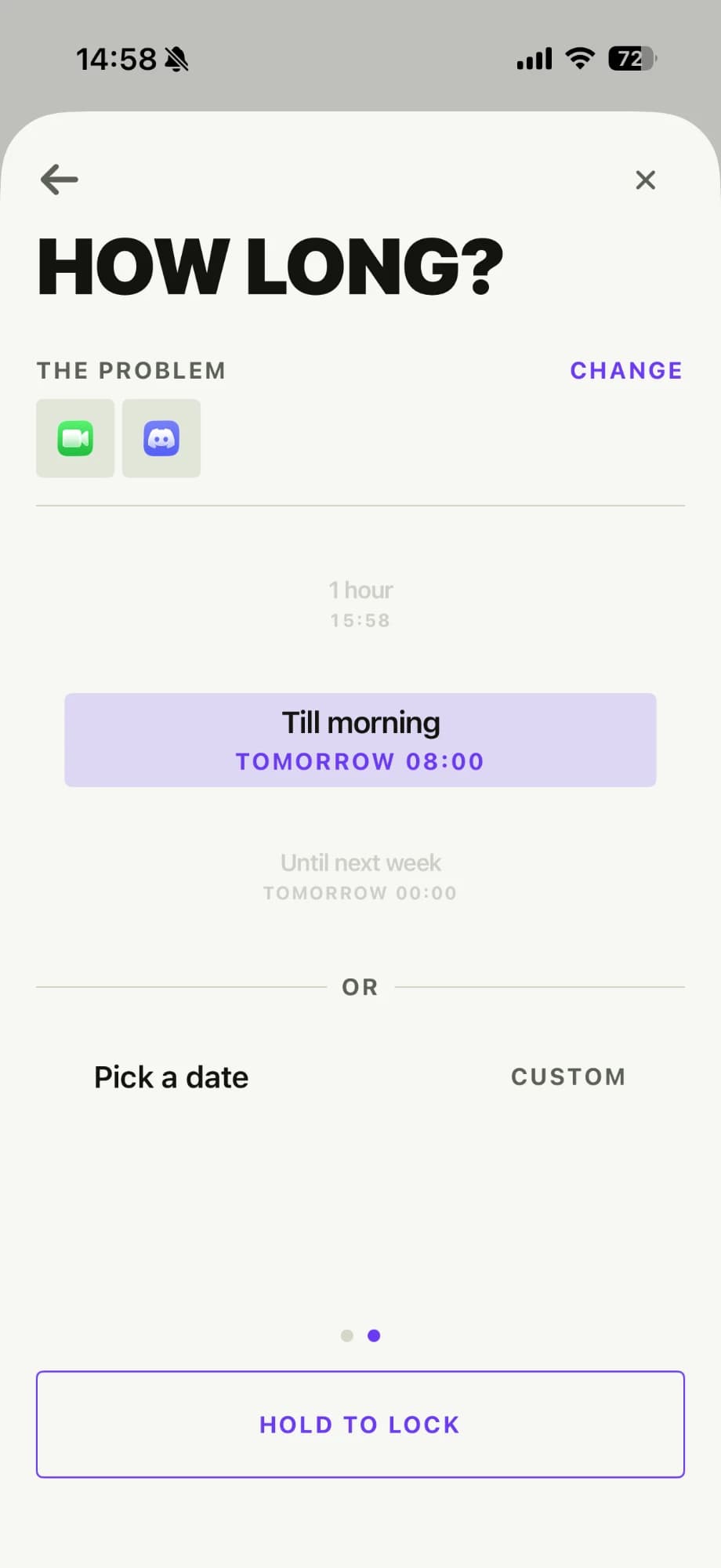
  3. The "How long?" screen, with Discord and FaceTime picked and "Till morning" set to end tomorrow at 08:00
    3

    Pick how long

    Thirty minutes, until midnight, until Monday — whatever the situation calls for. Hard No shows you the exact moment your apps come back, before you commit to anything.

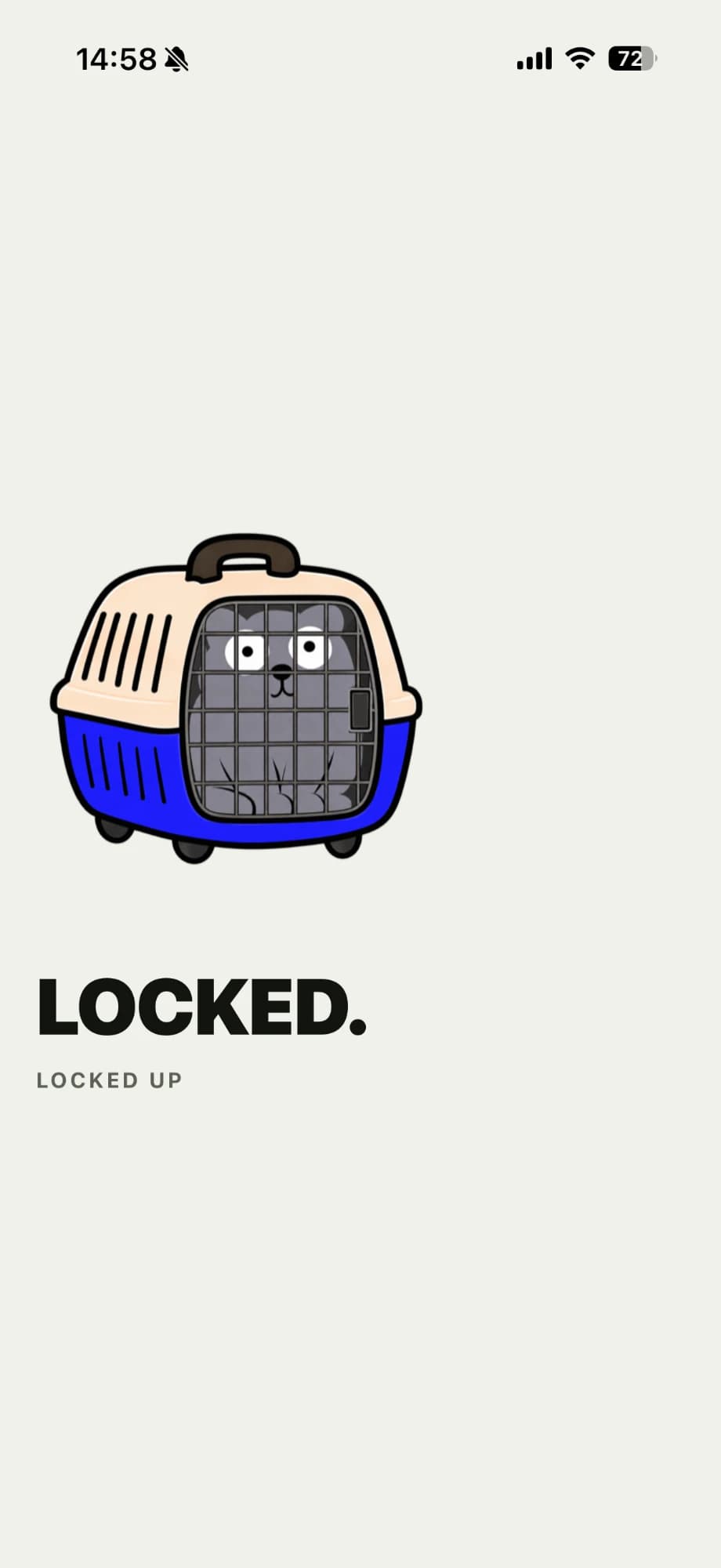
  4. The "Locked." screen, with Moki shut in a pet carrier
    4

    Confirm, then let go

    One confirmation and the session starts. From there the apps are blocked until the timer ends. Not because we enjoy it — because that's the only version of this that actually works.

A look inside

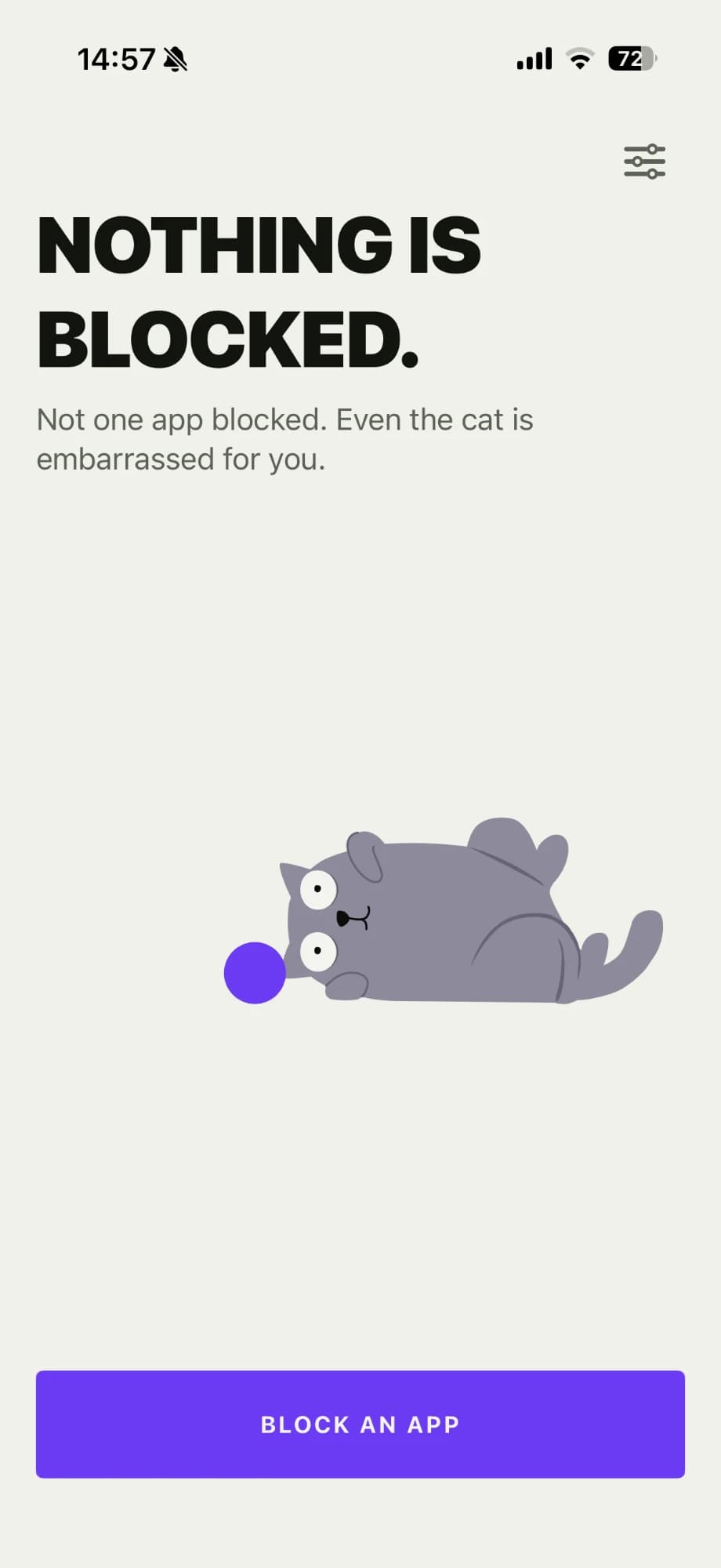
The home screen with nothing blocked yet, and a Block an app button

Block

The starting screen, and most of the app. Choose your apps, choose a duration, see exactly when you'll get them back, and start.

  • Apple's app picker — no scrolling through lists we invented
  • Six presets, plus a custom duration from one minute to thirty days
  • A plain-language end time — "Blocked until tomorrow at 08:00" — before you confirm
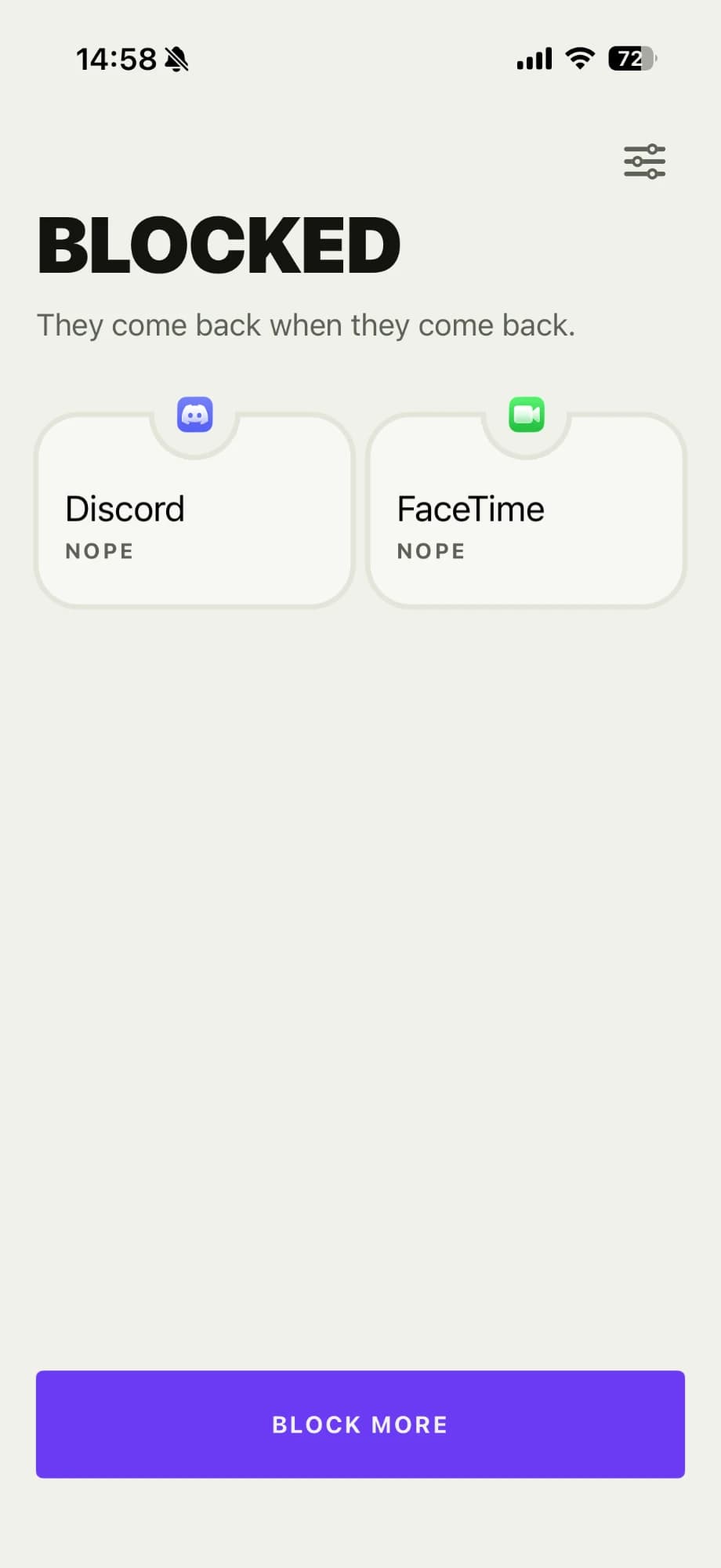
The home screen during a session: Discord and FaceTime blocked, each marked "Nope"
Shown with Hardcore Mode on.

Active session

While a session runs, this is all there is: what's blocked, when it lifts, and something encouraging to read in the meantime.

  • A live countdown and the exact unblock time — unless you turned on Hardcore Mode
  • No stop, pause, shorten, skip, or emergency-unlock button anywhere on the screen
  • Short, supportive messages instead of a productivity report card
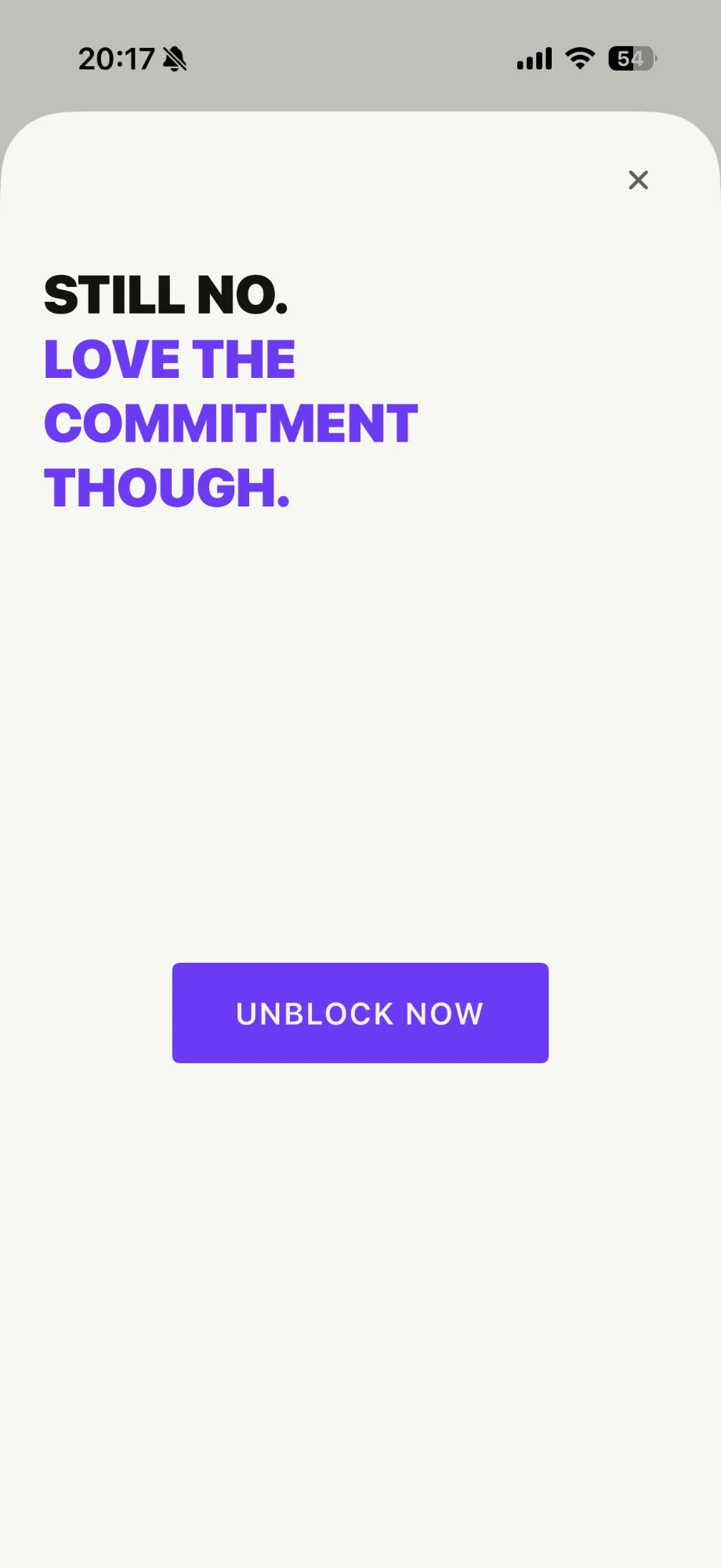
The runaway challenge: "Still no. Love the commitment though." above an Unblock now button

The runaway button

For the moment you decide you deserve an exception. There's a button labelled "Unblock now." It moves. It keeps moving. It has never once been caught.

  • Moves on every attempt, forever, with no success state to reach
  • Cannot unlock anything — it has no access to the blocking code at all
  • Swapped for a plain, labelled control when VoiceOver or Switch Control is on

Choose how long

Six presets cover almost everything, and a custom duration covers the rest. Whichever you choose, Hard No resolves it to an exact moment in time and shows it to you before the session starts.

  • 30 minutes — for getting one thing finished.
  • 1 hour — for getting several things finished.
  • Until midnight — for reclaiming an evening.
  • Until tomorrow morning — for actually going to sleep.
  • Until next week — for a real break.
  • Custom — anything from one minute to thirty days.

Morning and week-start times are yours to set. If your morning begins at 06:30, tell it so.

There is no escape hatch

This is the part everyone asks about, so here it is plainly. Once a session starts, Hard No offers no way to end it early. Not hidden, not behind a confirmation, not for a fee. It simply doesn't exist.

  • No stop button
  • No pause or temporary break
  • No shortening a session you've already started
  • No emergency unlock, and no talking your way into one
  • Closing, force-quitting, or deleting nothing — the session survives a relaunch
  • Restarting your phone doesn't reset it either

The timer is stored as a fixed point in time, not a countdown that can be nudged. Change time zones mid-session and it ends at the same real-world moment it always would have — the clock on screen just reads differently.

Hardcore Mode

Some people don't want to know how long is left. Watching a countdown is its own kind of scrolling.

Turn on Hardcore Mode and the session hides its own timing: no countdown, no end time, no progress bar, and no notification quietly telling you when freedom arrives. You get one line — Blocked — and the knowledge that past you had a plan.

It changes what you can see, never how long you're blocked. The session ends at exactly the moment it always would have. You just don't get to watch it approach.

About that button

At some point during a session you will decide that today is different and the rules should bend. Hard No has a screen for that.

Tap "Try to unblock" and you'll find a single button. It moves the instant you reach for it, and it moves every time after that. There's no counter to fill, no persistence reward, no secret sequence. It is a dead end, dressed up as a chance.

Under the hood, the challenge screen is deliberately wired so it cannot unlock anything — it has no connection to the blocking system whatsoever. The joke would be much worse if it were only pretending.

Because a button that runs away isn't usable with VoiceOver, Voice Control, or Switch Control, those users get a plain, clearly labelled control instead. Nobody gets a shortcut out of a session — but nobody gets stuck in an inaccessible screen either.

What it deliberately doesn't have

Attention apps have a habit of becoming the thing they were meant to fix — another feed to check, another number to raise. Hard No leaves all of it out, on purpose.

  • No focus score
  • No streaks to break
  • No badges, awards, or achievements
  • No charts, graphs, or usage dashboards
  • No calendar of how virtuous your week was
  • No leaderboards or social sharing
  • No account to create
  • No AI coach with opinions about you

You already know how much time you lose. A chart confirming it has never once helped. Hard No gives you a timer and gets out of the way.

Free and Pro

Everything that makes Hard No work is free. The one thing Pro adds is scale.

Free

  • Block one app at a time
  • Every duration preset, plus custom durations
  • Hardcore Mode
  • The runaway challenge, in full
  • No ads, and no data collection

Pro

$1.99 per month

or $11.99 per yearsave 50%

  • Block as many apps as you want in a single session
  • Additional humour packs
  • Everything in Free, obviously

Prices shown for your region: United States.

Pro is billed through your Apple ID as an auto-renewing subscription, and the App Store shows you the final price before you confirm anything. Nothing about a subscription changes a session that's already running — starting, ending, or lapsing a subscription will not unblock your apps early.

Your data stays on your phone

Hard No has no account, no sign-in, no server, and no analytics. There is nothing to log in to because there is nothing on the other end.

Your app selections, your session, and your settings live in the app's private storage on your device and are never transmitted anywhere. We don't run a backend, so there's no copy of any of it for us to read, lose, or hand over.

We can't see which apps you blocked

This one is worth spelling out. Apple hands apps like this an opaque token for each app you select — not a name, not a bundle ID, just a sealed reference that only iOS can interpret. Hard No stores those tokens and passes them back to iOS. Even we cannot tell you which apps you picked.

Honest limitations

A few things you should know before launch day, because you'd find them out anyway.

  • iPhone only, iOS 17 or later. No iPad or Mac version at launch.
  • Blocking is Apple's Screen Time system, which means the block screen is Apple's, and Hard No can only customise so much of it.
  • Screen Time permission can be revoked in your iPhone's settings. We're not going to pretend otherwise, and we're also not going to tell you where it is.

At launch, Hard No blocks individual apps. Whole categories and websites are not part of the first release — the goal was to do one thing properly before doing several things adequately.

Questions people ask first

Can I cancel a session if something urgent comes up?

Not from inside Hard No — that's the whole point of it. Which is exactly why you should choose what to block with a bit of care: if there's an app you might genuinely need at short notice, don't put it in the session. Phone calls and messages are never blocked.

What happens if I delete the app mid-session?

Deleting Hard No removes the blocks along with it, the same way deleting any Screen Time app does. iOS controls that, not us. We can make it inconvenient to quit; we can't make it impossible, and we'd be lying if we claimed otherwise.

Does it work on iPad or Mac?

Not at launch. Hard No is an iPhone app, built for iOS 17 and later. A block set on your iPhone doesn't reach across to your other devices.

Can it block websites or whole categories, like "Social"?

Not in the first release. You select individual apps. Category and website blocking are on the list, but the first version does one job properly rather than four jobs partly.

Does it need an internet connection?

No. Everything runs on your device, and nothing is sent anywhere. Turning off Wi-Fi and data won't get you your apps back, either — worth mentioning.

What if I turn off Screen Time permission while a session is running?

Then the blocking stops, because iOS is doing the blocking. Hard No will notice, tell you plainly that protection is off, and be visibly disappointed in you. It won't give you step-by-step instructions for doing it, though.

Terms of Use

The terms covering Hard No, including how sessions work and what the app is not intended for.

Read the terms

Privacy Policy

How Hard No handles your information. It's a short read, because there isn't much to handle.

Read the privacy policy
HomeAppsAboutContact